
In the world of trading, mastering the market requires practice and skill. A demo account offers an excellent opportunity for traders to hone their strategies without risking real money. By utilizing virtual funds, individuals can engage in paper trading, allowing them to simulate real market conditions.
TradingView stands out by providing tools like Bar Replay and Strategy Report, enhancing the learning experience. These features help traders analyze their strategies and chart behavior effectively. Starting with a generous balance of $100,000 in virtual capital, users can explore various trading techniques in a risk-free environment.
This article will guide readers through the process of creating a demo account while highlighting the benefits of simulated trading. Understanding the distinction between a demo account and a live brokerage account is crucial for effective preparation. By embracing this professional learning process, traders can develop their skills and confidence before entering the real market.
Introduction to Demo Accounts in Futures Trading
https://www.youtube.com/watch?v=jMqS9zUjxUk
Effective futures trading is built on a commitment to practice and a deep understanding of market dynamics. A demo trading account allows individuals to engage in simulated trading without risking real money. This environment mirrors actual market conditions, including a potential 5% change in Gold, represented by XAU/USD.
New traders benefit significantly from paper trading. It enhances their ability to interpret charts, familiarize themselves with order types, and analyze market behavior. This practice builds confidence before entering a live trading environment.
Experienced traders also find value in demo accounts. They can test new strategies, evaluate automated tools, and regain discipline after setbacks. Keeping a record of 50 to 100 simulated trades, including entry and exit points, fosters measurable learning.
For those preparing for full-time trading, a minimum of three months of practice is recommended. This timeframe provides broader exposure to changing market conditions, though it’s important to remember that simulated trading cannot replicate the emotional pressures of real capital.
Exploring TradingView’s Demo Tools for Realistic Market Practice

Successful trading hinges on understanding market tools and techniques. TradingView offers innovative features that enhance the learning experience for traders. These tools help users simulate real market conditions, allowing them to practice without financial risk.
One standout feature is Bar Replay. This tool enables traders to select a historical starting point and evaluate price movements candle by candle. It allows for a detailed analysis of past market conditions, revealing patterns and trends that can inform future trading decisions.
The Strategy Report is another valuable resource. It provides measurable insights, including net profit, win rate, and drawdown. This report helps traders assess their strategies effectively. It’s important to note that only one strategy can run on a TradingView chart at a time, which ensures focused analysis.
Additionally, the Leap competition allows participants to trade in real-time using virtual funds. This two-week event ranks traders on a public leaderboard, providing a unique opportunity to experience live market conditions without risking real money.
| Feature | Description | Benefits |
|---|---|---|
| Bar Replay | Simulates historical price movements | Identifies patterns and entry errors |
| Strategy Report | Analyzes trading performance metrics | Helps refine trading strategies |
| The Leap | Real-time trading competition | Experience market conditions with virtual funds |
How to Set Up Demo Account TradingView
 TradingView demo account setup for futures practice" title="TradingView demo account setup for futures practice" width="1024" height="585" class="aligncenter size-large wp-image-476" srcset="https://www.futuresdemo.com/wp-content/uploads/2026/09/TradingView-demo-account-setup-for-futures-practice-1024x585.jpeg 1024w, https://www.futuresdemo.com/wp-content/uploads/2026/09/TradingView-demo-account-setup-for-futures-practice-300x171.jpeg 300w, https://www.futuresdemo.com/wp-content/uploads/2026/09/TradingView-demo-account-setup-for-futures-practice-768x439.jpeg 768w, https://www.futuresdemo.com/wp-content/uploads/2026/09/TradingView-demo-account-setup-for-futures-practice.jpeg 1344w" sizes="(max-width: 1024px) 100vw, 1024px" />
Navigating the complexities of trading demands both practice and strategic insight. A paper trading account is essential for traders aiming to refine their skills in a risk-free environment. TradingView offers an accessible platform for this purpose.
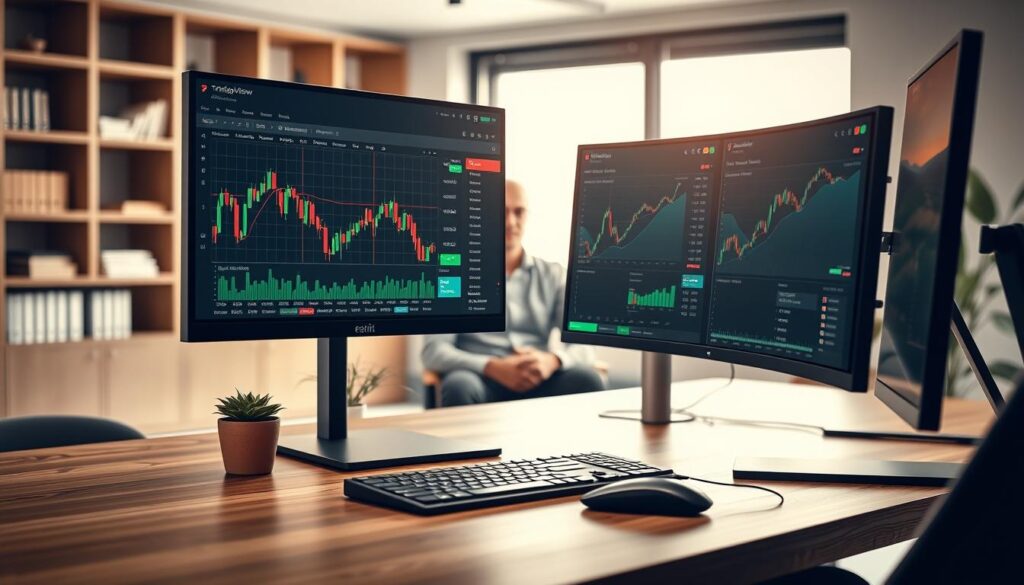
To access the paper trading option, traders should first open a TradingView chart. At the bottom of the chart, they will find the Trading Panel. From there, they can select the Paper Trading icon and click on Connect. This straightforward process allows users to activate their demo account without risking capital.
Once connected, a typical balance of $100,000 in virtual funds will appear. This amount can be adjusted to simulate realistic futures practice. Users can submit various order types, including market, limit, and stop orders. It’s crucial to configure these settings to match intended live conditions, ensuring that the simulated performance reflects actual trading scenarios.
| Order Type | Description | Use Case |
|---|---|---|
| Market Order | Executed immediately at current market price | Best for quick trades |
| Limit Order | Executed at a specified price or better | Ideal for controlling entry/exit points |
| Stop Order | Executed once a specified price is reached | Useful for limiting losses |
Leveraging the Demo Account for Risk Management and Strategy Testing

Effective risk management is a cornerstone of successful trading. Utilizing a demo account allows traders to practice their skills without financial exposure. This environment fosters confidence, enabling them to develop a disciplined approach to trading.
Traders can set a maximum loss of two percent per trade. This strategy protects the total account balance while practicing entries, exits, and stop-loss placements. By adhering to this method, they can gain valuable experience in managing risk under live market conditions.
While paper trading offers many advantages, it is essential to recognize its limitations. Simulated results may not account for commissions, slippage, or the emotional pressures associated with real money. Therefore, traders should view their demo experiences as a learning opportunity rather than a direct reflection of future performance.
Additionally, demo accounts allow for experimentation with leverage and the ability to reset balances after testing strategies. Funded challenges, such as Goat Funded Trader, provide structured evaluations with profit targets and drawdown limits, further enhancing the learning process.
| Aspect | Description | Importance |
|---|---|---|
| Maximum Loss | Limit losses to 2% per trade | Protects overall capital |
| Paper Trading | Simulated trading environment | Builds confidence without risk |
| Leverage Testing | Experiment with different leverage | Understand potential risks |
Utilizing Chart Analysis and Trading Tools for Performance Evaluation

Traders seeking to enhance their performance must leverage effective chart analysis and tools. Customizing settings within the demo environment is essential for simulating real market conditions. This includes adjusting balance, leverage, commissions, and order settings to closely match intended live trading scenarios.
Additionally, TradingView’s mobile application, with over 50 million downloads and a 4.7-star rating, allows traders to practice seamlessly across devices. Synchronized charts, alerts, and account balances ensure that learning continues, whether on desktop or mobile.
Reviewing trade history is another vital aspect. Traders can analyze closed positions, timestamps, and both realized and unrealized profit and loss. This detailed examination aids in refining strategies and improving overall performance.
Moreover, exporting trading history as CSV files provides valuable insights. Traders can compare win rates by time of day and analyze holding periods for winners and losers. This data-driven approach enhances decision-making and strategy refinement.
| Aspect | Description | Importance |
|---|---|---|
| Customization | Adjust settings for realistic simulation | Enhances practice effectiveness |
| Mobile Access | Practice across devices | Ensures continuous learning |
| Trade History Review | Analyze performance metrics | Improves strategy development |
| CSV Export | Data analysis of trades | Supports informed decision-making |
Wrapping Up: Advancing Futures Trading with Confidence
Advancing in the trading world requires a solid foundation built on practice and knowledge. TradingView’s demo account enables traders to transition from basic learning to structured futures practice without immediate capital exposure. By utilizing features like Bar Replay, Strategy Report, and Paper Trading, traders can enhance their skills effectively.
Maintaining a record of 50 to 100 simulated trades helps determine if performance reflects consistent skill rather than mere luck. For those aspiring to full-time trading, a three-month practice guideline serves as a useful benchmark, not a guarantee of profitability in live markets.
Finally, it’s essential to approach trading with realistic position sizing and regular reviews. Challenges like Goat Funded Trader introduce profit targets and drawdown limits, emphasizing the importance of disciplined simulation. This preparation is crucial, as real capital brings emotional pressures that no virtual account can fully replicate.
FAQ
Q: What is a demo account in trading?
Q: How can demo trading help new traders?
Q: What tools does TradingView offer for demo trading?
Q: Can experienced traders use demo accounts?
Q: How does paper trading work on TradingView?
Q: What is the significance of risk management in demo trading?
Q: How can traders analyze their performance in a demo account?
Related Platform Articles


